
How Customer Support Teams Should Evaluate WhatsApp Business API Platforms for Payment Collection
Your support agents already answer payment questions on WhatsApp. But collecting the payment itself is a different job, and most platforms treat it as an afterthought. Choosing the wrong one leaves agents copying links and chasing screenshots while customers wait.
This article gives you a practical evaluation framework: how to test native payment flows against redirect-based checkout, what security and compliance questions to ask, how a unified inbox keeps payment context with the agent, and which pricing models hide real costs. You will finish with a scorecard you can apply to any WhatsApp Business API platform, including Com.bot.
Why Payment Collection on WhatsApp Demands a Different Evaluation Framework
Collecting payments on WhatsApp isn't just another checkout flow. It's a conversation that blends support, sales, and trust in a single thread. That distinction changes what customer support teams should look for when they evaluate WhatsApp Business API platforms.
A traditional payment gateway checklist focuses on transaction success rates, gateway fees, and settlement timelines. Those still matter. But on WhatsApp, the payment request arrives inside a chat the customer already associates with help, updates, and personal service. A payment link that feels abrupt or confusing can damage that trust instantly.
This means conversation metrics carry equal weight to transaction metrics. Support leaders should ask how a platform affects conversation open rates, first response times, and resolution rates alongside payment completion. A platform that processes payments reliably but buries context from agents is only solving half the problem.
Support teams are also now on the front lines of payment collection. The platform they choose shapes both the customer experience and the team's daily workload. Evaluation criteria should reflect that dual impact.
Several factors make WhatsApp a distinct environment for payment collection:
- Conversational context. Payment requests sit inside ongoing threads, not isolated checkout pages.
- Template constraints. Utility templates and authentication templates follow Meta's rules, which affect how payment reminders can be sent.
- Channel expectations. Customers expect quick, human replies, not automated dead ends.
- Compliance layers. PCI DSS compliance, data encryption, and data residency requirements apply on top of WhatsApp's own policies.
Evaluators should also weigh API pricing models, including conversation-based pricing and per-message fees, against the volume of payment-related conversations a support team handles. A cheap per-message rate means little if agents lack the context to resolve payment issues quickly.
The Support Team's New Role in Payment Conversations
Support agents are no longer just answering questions. They're often the ones sending payment links, confirming transactions, and troubleshooting failures in real time. This shifts the support function from reactive to proactive.
Consider a customer whose card payment fails mid-conversation. In a well-designed setup, the agent sees the failure, understands the reason, and resends a payment link without the customer repeating themselves. In a poorly integrated one, the customer gets bounced to a separate system and often abandons the purchase.
Another example: a customer asks about an unfamiliar charge before completing a cart. An agent with full payment context can explain the charge, reassure the customer, and guide them to checkout in the same thread. Without that context, the moment passes and the sale is lost.
This blended role has direct implications for platform evaluation. Support leaders should test whether agents can do the following without leaving the chat interface:
- View payment status and transaction history for a contact
- Resend or regenerate a payment link
- Identify why a payment failed
- Confirm a completed transaction in the thread
- Escalate to a payment gateway integration when needed
Platforms that support payment gateway integration with providers like Stripe, Razorpay, or PayPal, or that offer native payments through WhatsApp Pay where available, tend to reduce friction for agents. Message delivery reports and webhook reliability also matter, since agents depend on timely signals to act.
Finally, evaluation should include how well a platform supports this blended support-and-collection role. Look at uptime SLAs, API rate limits, throughput, and latency, because slow systems turn a quick resolution into a frustrated customer. A platform that treats payment collection as a separate workflow from support will create gaps that agents feel every day, and customers notice.
Core Capabilities to Test Before Committing
Before you commit to a WhatsApp payment solution, you need to test the core capabilities that will make or break your payment collection process. Three areas demand close scrutiny: how payments actually flow inside the chat, how sensitive data is protected, and whether the vendor meets the compliance standards your industry requires.
These are non-negotiable areas. A shortcut in any one of them leads to failed transactions, exposed customer data, or regulatory penalties that no pricing discount can offset.
Build a written test plan before your first vendor demo. It should include real-world scenarios your customer support teams handle daily:
- Partial payments and installment requests
- Refunds and reversals
- Multi-currency transactions
- Failed or timed-out payments and retry logic
- Disputed charges and chargeback handling
Run each scenario against every platform on your shortlist using sandbox or test environments. Ask vendors to demonstrate the full flow rather than describe it. A platform that handles a clean single-currency payment well may struggle with the messy edge cases that make up a large share of real support tickets.
Document what breaks, how quickly the vendor responds, and whether fixes require engineering work on your side. That record becomes your evaluation scorecard.
Native Payment Flows vs. Redirect-Based Checkout
The difference between a native payment flow and a redirect-based checkout can be the difference between a completed sale and an abandoned cart. Native flows keep the customer inside WhatsApp, using features such as native payment buttons or WhatsApp Pay where available. Redirect methods send the customer to an external checkout page through a payment link from a provider like Stripe, Razorpay, or PayPal.
Native flows reduce friction. There is no app switch, no new page to load, and no re-entry of details. The tradeoff is limited payment method support and availability that varies by country and currency. Redirect-based checkout offers far more flexibility in payment methods and gateway integration, but every redirect introduces a chance the customer drops off before completing the transaction.
Track specific metrics when you test both:
- Conversion rate: how many initiated payments complete
- Time to complete payment: from payment prompt to confirmation
- Abandonment rate: where in the flow customers exit
- Retry success rate: how often a failed payment succeeds on a second attempt
If your platform supports both methods, test both with a sample of real customers or internal testers. The data will tell you which flow suits your audience better than any vendor claim.
Security, Compliance, and Data Handling Standards
Payment data is among the most sensitive information your business handles, so security and compliance must be evaluated with zero tolerance for ambiguity. Vague answers from a vendor are a warning sign, not a minor gap.
Check for these standards and understand what each one means in practice:
- PCI DSS compliance: ensures card data is not stored or transmitted insecurely. Confirm whether the vendor is certified directly or relies on a compliant payment gateway.
- End-to-end encryption: protects message content in transit. Verify how it applies to payment details shared inside a chat.
- GDPR and data residency: governs where customer data is stored and how it can be used. Data residency matters if regulations require data to stay within a specific region.
- SOC 2 or ISO 27001: signals a mature overall security posture, covering access controls, monitoring, and incident response.
Ask every vendor the same direct questions. Where is payment and customer data stored? Who inside the organization can access it? How are encryption keys managed and rotated? What happens to data if you leave the platform?
Get answers in writing, ideally in the contract. Verbal assurances carry little weight if a breach or audit later puts your compliance status on the line. Customer support teams should also know how to escalate suspected fraud or data issues through a defined channel.
Evaluating the Support Experience Around Payments
A payment platform is only as good as the support experience it enables, both for your customers and your agents. A checkout flow can look flawless in a demo. But when a customer messages at 11 p.m. asking why their payment failed, the real test begins.
Customer support teams evaluating WhatsApp Business API platforms often focus on payment gateway integration, PCI DSS compliance, and conversation-based pricing. Those matter. Yet the support layer surrounding payments decides whether a failed transaction becomes a resolved issue or a lost customer.
Consider what happens when a payment link expires. The customer replies to the original WhatsApp thread. If the agent cannot see the order ID, amount, and payment status in that same view, they must ask the customer to repeat information. That adds friction, time, and error risk.
This section covers the two support pillars that sit around any payment flow: a unified agent inbox with payment context, and automation that handles routine payment queries. Together, they determine whether your team resolves issues in one touch or five.
Unified Inbox and Payment Context for Agents
When an agent can see a customer's entire payment history and current order status without switching tabs, resolution times plummet. That is the core promise of a unified inbox. It should consolidate conversations across WhatsApp, Facebook, and Instagram into one view.
More importantly, it should pull payment-related details into that view automatically. Order ID, amount due, payment status, and the timestamp of the last reminder should appear alongside the chat. Agents should not need to open a separate dashboard or ask the customer for a reference number.
Here is what to test during platform evaluation:
- Does the inbox display automatic payment status updates inside the chat thread?
- Can agents add internal notes that other team members can see without the customer seeing them?
- Can an agent trigger a refund or resend a payment link from within the inbox?
- Does the platform show a full history of payment reminders sent to that customer?
These features reduce errors. An agent who sees that a payment already cleared will not send a duplicate reminder. One who can resend a link in two clicks resolves the issue before the customer loses patience. Test each capability with real payment scenarios, not just demo data.
Automation and Bot Handling of Payment Queries
Bots can handle a large share of routine payment queries, but only if they are built to understand intent and escalate gracefully. The evaluation question is not whether a platform has a bot builder. It is whether that bot can manage payment-specific use cases without creating frustration.
Start with reminders. Can the bot send scheduled payment reminders through template messages? Utility templates and authentication templates are essential here. Meta requires pre-approved templates for notifications outside the 24-hour customer service window. Check whether the platform offers ready-made templates for payment reminders, order confirmations, and verification codes.
Next, test the bot's ability to answer common questions. Can it explain accepted payment methods? Can it process a simple transaction or share a payment link? Use this checklist:
- Does the bot support conditional logic, such as different responses based on payment status?
- Can it hand off to a human agent with full context, including the conversation history and order details?
- How easy is it to update payment-related responses when policies or gateways change?
- Does the bot recognize when a query falls outside its scope and escalate immediately?
A bot that fails to escalate creates more work than it saves. Prioritize graceful handoff over clever scripting. The best automation knows its limits and passes the conversation to a person with everything they need to help.
Integration, Scalability, and Total Cost of Ownership
A payment solution that works for a small daily transaction volume may crumble under a much larger one, so you need to evaluate integration, scalability, and the true cost of ownership. Features look impressive in a demo, but operational reality decides whether a platform survives your busiest month.
Customer support teams often focus on the agent interface and overlook how the WhatsApp Business API platform connects to the systems that actually move money. A weak integration layer forces agents into manual work, and manual work produces errors.
Scalability matters just as much. When a billing cycle ends or a campaign goes out, payment requests spike. The platform must handle that surge without added latency, dropped webhooks, or delayed message delivery reports.
These two factors, integration depth and pricing transparency, sit at the center of platform evaluation. The following subsections break down what to check before committing.
Connecting Payment Tools to Your Existing Stack
Your WhatsApp payment solution must plug into your existing payment gateways, CRM, and order management systems without creating data silos. Every disconnected system adds a step where a customer support agent copies data by hand.
Start with pre-built connectors. Many platforms offer native integrations with gateways such as Stripe, Razorpay, and PayPal. Confirm which ones are officially supported versus community-built, because unofficial connectors often break after updates.
Next, examine how the platform handles real-time updates. Webhook support lets payment statuses flow back into your CRM automatically, so agents see when a payment link is paid. Without webhooks, teams poll dashboards or refresh screens, which wastes time.
Finally, check API rate limits and throughput. Ask these questions during evaluation:
- How long does a typical integration take, and is professional help required?
- Are there extra fees for API calls above a certain threshold?
- Can you test the full flow in a sandbox before going live?
- Do rate limits match your peak payment collection volume?
- How are failed webhooks retried, and what visibility do you get?
Poor integration leads to manual reconciliation, missed payments, and frustrated customers. Treat the connection layer as a core requirement, not an afterthought.
Pricing Models and Hidden Costs to Compare
The sticker price of a WhatsApp payment platform rarely tells the whole story. Hidden costs can double your total spend, so platform evaluation must go beyond the headline rate.
Most providers use one of three models. Conversation-based pricing charges per 24-hour window, regardless of how many messages are exchanged inside it. Per-message fees charge for each template message or reply. Some vendors add a flat platform subscription on top of either model.
Meta also sets its own rates for the WhatsApp Business Platform, and Business Solution Providers typically pass those through with a margin. Rates vary by category, including utility templates and authentication templates, and by country.
Watch for these commonly overlooked costs:
- Charges for adding extra team members or seats
- Fees for connecting additional social channels
- Costs for external actions such as API calls or automation steps
- Overage fees when you exceed your message limit
- Payment gateway transaction fees on top of platform fees
Calculate total cost of ownership using your expected monthly volume and team size. A lower per-message rate can lose to a higher one once seat fees and overages are included. Model both a normal month and a peak month before deciding.
How Com.bot Approaches WhatsApp Payment Collection
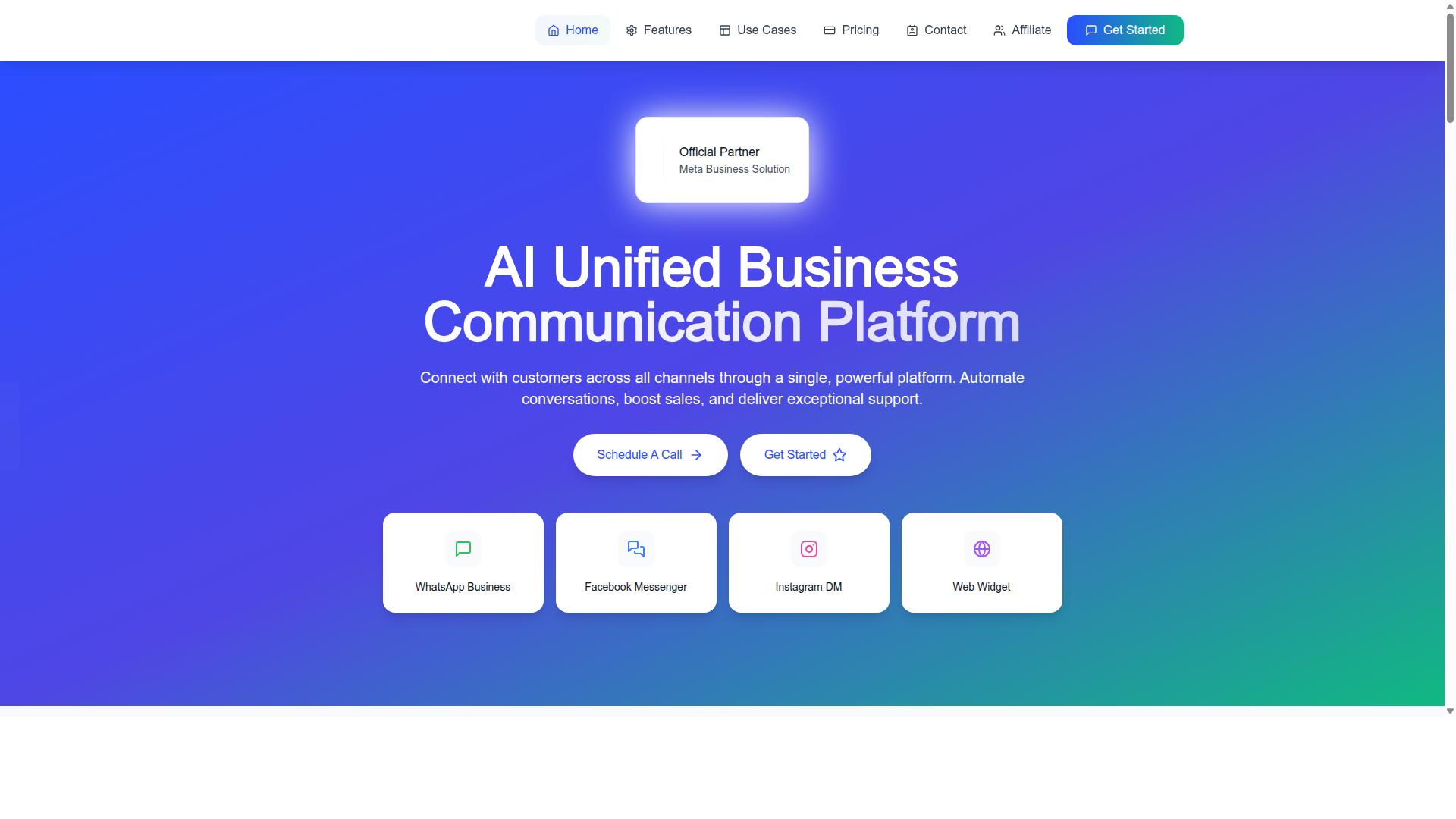
Com.bot is an AI Unified Business Communication Platform that connects customers across WhatsApp, Facebook Messenger, Instagram DM, and Web Widget, and it brings payment collection into the same conversation. For support teams weighing platform evaluation criteria, that combination matters because it removes the usual gap between resolving a customer issue and getting paid for it.
Most evaluation checklists for WhatsApp Business API platforms cover the same ground: official Meta access, native payment support, pricing transparency, and a way to manage conversations at scale. Com.bot is built to answer those requirements directly rather than forcing teams to stitch together separate tools.
Three differentiators stand out during platform evaluation. First, Com.bot is an Official Meta Business Partner with direct WhatsApp Business API integration, which matters for teams that want a legitimate Business Solution Provider rather than a reseller. Second, it supports native payments for WhatsApp transactions, so payment collection happens inside the chat instead of through a redirect. Third, a unified team inbox keeps WhatsApp, Messenger, Instagram, and web conversations in one place.
That last point deserves attention from support leaders. When payment requests, receipts, and follow-ups live in the same thread as the original support query, agents spend less time switching tools and more time resolving issues. The result is a shorter path from question to payment.
Platform Capabilities and Pricing Tiers
Com.bot offers a visual bot builder, native payments, and multi-channel support, with pricing that scales from small teams to enterprises. The platform is owned and managed by Com Bot AI Limited and currently serves 23,000+ active customers, processing 25M+ messages per day.
Core capabilities that support teams should note during evaluation include:
- WhatsApp Business API integration through official Meta channels
- A unified team inbox for WhatsApp, Facebook Messenger, Instagram DM, and Web Widget
- A visual bot builder with a drag-and-drop interface for automating conversations
- Native payments for WhatsApp transactions
- Multi-channel support from a single platform
Pricing is structured around quarterly plans, which gives teams a predictable cost base for budgeting. WhatsApp messaging itself is billed at actual Meta rates with no markup, an important detail for anyone comparing conversation-based pricing across providers.
| Plan | Price | Notes |
|---|---|---|
| Silver | $149 per quarter | Entry tier for smaller teams |
| Gold | $349 per quarter | Recommended plan |
| Platinum V1 | $2500 per quarter | Higher tier for larger operations |
Add-ons are available at $10 per month for items such as an additional team member, social channel, external actions (per 5000), bot triggers (per 25000), or an ecom store. Dedicated support is priced separately at $49 per hour for WABA, CRM, and Inbox help, and $99 per hour for Ecommerce, Bots, and Automations.
For support teams running a platform evaluation, the practical takeaway is that the cost model stays legible: a quarterly subscription, low-cost add-ons, and messaging billed at Meta's own rates. That transparency makes it easier to compare Com.bot against other Business Solution Providers without untangling hidden per-message fees or surprise platform charges.
Building Your Evaluation Scorecard
With so many factors to consider, a structured scorecard ensures you compare platforms objectively and choose the one that fits your payment collection needs. Instead of relying on vendor demos and gut feel, a scorecard turns scattered impressions into a repeatable, defensible decision.
The process starts by defining your categories, then assigning weights that reflect your priorities, and finally scoring each platform against the same criteria. Here is how to build one step by step.
Step 1: List your evaluation categories. Most customer support teams should assess five core areas:
- Core payment capabilities: Does the platform support native payments or redirect-based flows through payment links?
- Security and compliance: Look for PCI DSS compliance, data encryption, and clear data residency policies.
- Support experience: Evaluate the unified inbox, automation options, and how agents manage payment conversations.
- Integration and scalability: Check payment gateway integration with providers such as Stripe, Razorpay, or PayPal, plus API rate limits, throughput, and uptime SLA.
- Total cost of ownership: Compare the API pricing model, conversation-based pricing, per-message fees, and any charges for utility templates or authentication templates.
Step 2: Weight each category. Not every factor matters equally. A team handling high volumes of payment collection may weight core payment capabilities and scalability heavily, while a smaller team might prioritize support experience and cost. Assign a percentage to each category so the weights total 100.
Step 3: Choose a scoring scale. A simple 1 to 5 scale works well, where 1 means the platform does not meet the requirement and 5 means it exceeds it. Multiply each score by the category weight to get a weighted total.
| Category | Weight | Score (1-5) | Weighted Score |
|---|---|---|---|
| Core payment capabilities | 30% | 4 | 1.20 |
| Security and compliance | 25% | 5 | 1.25 |
| Support experience | 20% | 4 | 0.80 |
| Integration and scalability | 15% | 3 | 0.45 |
| Total cost of ownership | 10% | 4 | 0.40 |
Step 4: Run a pilot before full commitment. A scorecard narrows the field, but a pilot confirms the fit. Test payment collection flows, message delivery reports, and webhook reliability with real conversations before rolling out to your full customer base.
For teams that want to see how these capabilities come together in practice, Com.bot offers a hands-on way to explore WhatsApp Business API payment collection. You can reach the team at [email protected] or call and message +91 080 6987 1810 during business hours, Monday to Friday, 9:00 AM to 6:00 PM IST. The head office is at 501, Trinity Orion, Vesu Main Road, Surat - 395010, IN, and WhatsApp support is also available for questions.
Recommended Resources: